SIM swapping
How criminals hijack your phone number to intercept text-message codes and take over bank, email and crypto accounts, and the carrier settings that stop them.
What a SIM swap is
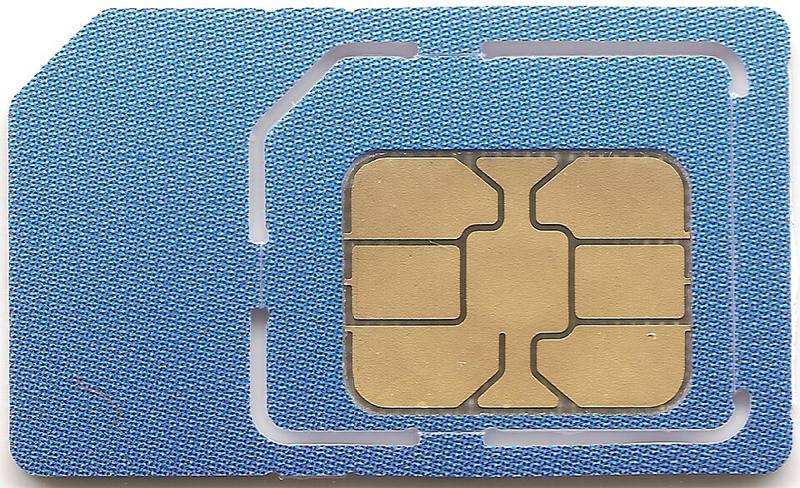
Your phone number lives on your carrier's systems, linked to a SIM card or eSIM. In a SIM swap, a criminal convinces or bribes someone at your carrier to move your number to a SIM they control. A related trick, a port-out scam, moves your number to a different carrier entirely. Either way, your phone suddenly loses service and every call and text, including one-time login codes, goes to the attacker.
Why it is so damaging
Many services still let you reset a password with only a text message. Once attackers have your number they can:
- Reset your email password, then use your email to reset everything else.
- Pass text-message two-factor checks for banking and payment apps.
- Take over social media accounts and message your contacts with scams.
- Drain cryptocurrency exchange accounts, which are a favorite target because transfers are fast and hard to reverse.
How attackers pull it off
- Research: they collect your name, address, date of birth and sometimes the last digits of your ID number from data breaches and social media.
- Impersonation: they contact your carrier in a store, by phone or online chat, claiming a lost phone, and pass the security questions with the stolen details.
- Insider help: in some documented cases, carrier employees were bribed to perform swaps.
- Account access: some attackers first phish your carrier account login and then order a new eSIM themselves.
Warning signs
- Your phone suddenly shows "No service" or "SOS only" in a place where it normally works.
- You receive a notice from your carrier about a SIM change or port request you did not make.
- You get password reset emails you did not request.
If your phone loses service unexpectedly, do not wait. Use another phone or Wi-Fi calling to contact your carrier immediately and ask whether a SIM change or port-out was made on your account.
How to protect yourself
- Add a carrier PIN and port-out protection. All major US carriers offer a number lock or port-out PIN (often called "Number Lock", "SIM protection" or "Port Out Protection") in their app or account settings. Turn it on.
- Move away from text-message codes for important accounts. Use an authenticator app, a passkey or a hardware security key instead. See two-factor authentication and passkeys.
- Remove your phone number as a recovery option on email accounts once you have stronger methods set up, or at least make sure it is not the only recovery option.
- Secure your carrier account with a unique password and two-factor authentication.
- Limit what you share publicly: date of birth, address and phone number make impersonation easier.
- Use a separate, private number (for example a free internet number) for account recovery on high-value accounts, and never publish it.
If it happens to you
Contact your carrier from another phone and have the number restored, ask them to add a PIN and lock, then change passwords on your email first and every important account after it, from a clean device. Check your bank and crypto accounts, and report the crime: in the US to the FBI's IC3 and the FTC at IdentityTheft.gov.